#
Swiper
Transforms native Gutenberg blocks (Galleries, Query Loops, Groups, and Covers) into high-performance, touch-friendly carousels using Swiper.js
Available Options / Utility Classes:
- Trigger Classes: Apply
is-style-slideroris-style-slider-galleryto the block. - Columns: Use
columns-{number}(e.g.,columns-3) to set how many slides are visible at once. Breakpoints are automatically handled for mobile and tablet. - Gap Control: Use
slider-gap-{number}(e.g.,slider-gap-30) to set the spacing between slides in pixels. - Fit Height: Add
slider-fit-heightto make the slider automatically adjust its height to the currently active slide. - Fade Effect: Add
slider-fadeto replace the sliding motion with a smooth cross-fade effect (forces 1 slide per view). - Autoplay: Add
slider-autoplayto start the carousel automatically. - Custom Pagination: By default, it uses bullets. Add
slider-scrollbarto replace bullets with a draggable scrollbar, orslider-hide-navto completely remove arrows and pagination.







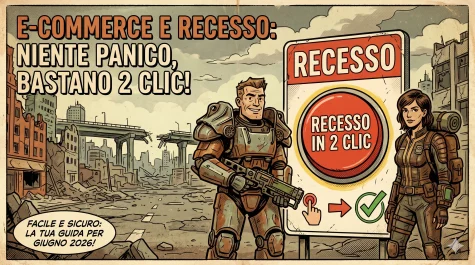
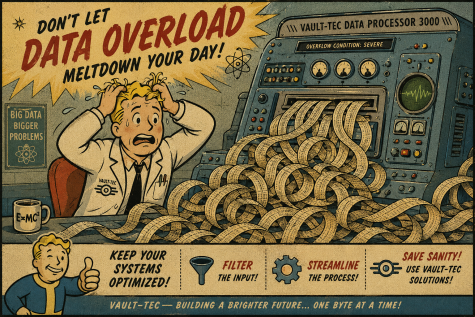
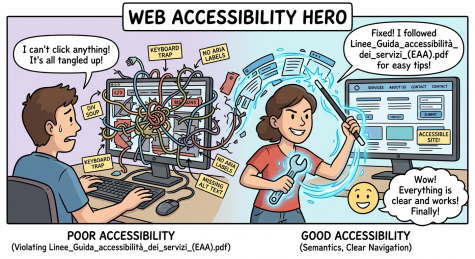
is-style-slider-gallery slider-gap-30 slider-scrollbar
is-style-slider-gallery slider-gap-30 slider-scrollbar

#
Choices.js
Automatically upgrades any native HTML multiple <select> fields into beautifully styled, searchable, and accessible dropdown menus using Choices.js.
Available Options:
- Trigger: Automatically applies to any
<select multiple>element. - Remove Button: Built-in “Remove item” buttons are enabled by default, allowing users to easily clear their multiple selections.
Multiple select input
#
LightBox
Provides an immersive, full-screen overlay for viewing high-resolution images and galleries without leaving the page, powered by GLightbox. Please note that, in order to try the functionality, you should click on the images.
Available Options / Classes:
- Single Images: Apply
is-style-lightbox-imageto any Image block. - Galleries: Apply
is-style-lightbox-galleryto a Gallery block to create a navigable slideshow. - Features: Touch navigation, infinite loop, and video autoplay are enabled by default. It automatically pulls the image caption or
alttext to display as the title.
is-style-lightbox-image

is-style-lightbox-gallery



#
Masonry gallery (pattern)
Breaks free from rigid grids. This module calculates the perfect position for every item based on its natural height, creating a fluid, gap-free Pinterest-style layout using MiniMasonry.
Trigger Class: Apply is-style-masonry-layout to the container.
Column Setup: Use columns-{number}. The module automatically calculates the base width of each column relative to the container, maintaining a minimum card size of 300px and standard 24px gutters.


#
Animations
A high-performance Intersection Observer engine that triggers CSS entry animations and dynamic text/number counters as soon as elements scroll into the viewport.
Available Options / Classes:
- Entry Animations: Use Animate.css classes (e.g.,
animate__animated animate__fadeIn). - Animation Modifiers: Customize the effect using
animate__duration__{ms}(e.g.,animate__duration__3000),animate__delay__{ms}, oranimate__repeat. - Number Counters: Add
count__counterto an element containing a number to animate it counting up from zero. Customize speed withcount__duration__{ms}. - Text/Letter Scramble: Add
count__lettersorcount__wordsto apply a dynamic “scramble” reveal effect to text strings, animating them letter by letter with randomized characters before settling on the final word.
ANIMATED
animate__animated animate__fadeIn
1234
count__counter
ANIMATED
count__counter count__letters
ANIMATED
animate__animated animate__tada animate__delay__1000 animate__duration__3000
#
Vivus
A specialized engine for animating SVG paths using the Vivus.js library. It automatically detects SVG elements and triggers drawing animations when they enter the viewport, offering granular control over the drawing style and timing via CSS classes.
Available Options / Classes:
- Base Trigger: Add
is-style-vivusto an SVG element or its container to initialize the animation engine. - Animation Type: Define the drawing logic using
vivus-type-{type}. Supported types:delayed(default),sync,oneByOne,script,scenario, orscenario-sync. - Start Trigger: Control when the animation begins with
vivus-start-{trigger}. Options includeinViewport(starts when visible),autostart(immediate), ormanual. - Duration Control: Set the total animation speed using
vivus-duration-{frames}(e.g.,vivus-duration-200). This defines the length of the animation in frames. - Path Delay: Use
vivus-delay-{frames}to set the time between the start of drawing for the first and last paths (primarily fordelayedanimations).
#
Pageable Full-Page
A high-performance full-page scrolling engine that transforms a container and its children into a smooth, section-by-section presentation.
Available Options / Classes:
- Base Trigger: Add
is-style-pageableto a Group or Cover block containing multiple sections to enable the full-page effect. - Navigation: By default, “pips” (navigation dots) are enabled. Use
pageable-no-pipsto hide them. - Orientation: Default scrolling is vertical. Add
pageable-horizontalto switch to a horizontal slider-like experience. - Performance: The library is loaded dynamically only when the specific class is detected on the page, optimizing the Critical Rendering Path.
#
Core UX Modules (Automatic / Background)
(These modules run automatically to improve the user experience and require no configuration)
Smooth Scroll & Offset Calculation
Intercepts all internal anchor links (#hash) on the page. Instead of an abrupt jump, it smoothly scrolls the user to the target section while automatically calculating and offsetting the height of your sticky header so content is never hidden behind the navigation bar.
Dynamic Scroll Control
A performance-optimized scroll engine that monitors the user’s scroll direction. It dynamically translates the header out of the way when reading down to maximize screen space, and instantly brings it back when scrolling up. It also manages CSS body classes (scrolled, above-the-fold, top) for advanced styling states.
Mobile Swipe Sidebar
Delivers a native app-like experience for mobile devices (screens <= 768px). It generates a hidden off-canvas sidebar menu with an overlay background. Users can open it via a toggle button or by using native touch gestures (swiping right from the left edge of the screen to open, and swiping left to close).
Back to Top
Automatically injects a discreet floating button (#backtotop) into the page. When the user scrolls deep into the content, the button becomes available; a single click smoothly glides the page back to the absolute top.